


Codex use case
CI/CD에서 공급망 위험 관리하기
종속성 알림을 조사하고 패키지 업데이트에 보안 위험이 있는지 확인하세요.
Codex Security CLI로 서드 파티 종속성이 애플리케이션 보안에 미치는 영향을 평가하세요. Dependabot 알림의 우선순위를 정하고 내용을 검증하세요. 패키지를 추가하거나 업데이트할 때는 보안 스캔을 실행하세요.
Best for
- 대응이 필요한 종속성 알림을 선별하는 애플리케이션 보안 팀
- 새로 추가한 패키지나 종속성 업데이트를 평가하는 개발자
- 종속성이 변경되면 보안 스캔이 실행되도록 CI/CD 파이프라인을 구성하는 플랫폼 팀
Contents
CI/CD에서 공급망 위험 관리하기
종속성 알림을 조사하고 패키지 업데이트에 보안 위험이 있는지 확인하세요.
Codex Security CLI로 서드 파티 종속성이 애플리케이션 보안에 미치는 영향을 평가하세요. Dependabot 알림의 우선순위를 정하고 내용을 검증하세요. 패키지를 추가하거나 업데이트할 때는 보안 스캔을 실행하세요.
Codex Security CLI로 서드 파티 종속성이 애플리케이션 보안에 미치는 영향을 평가하세요. Dependabot 알림의 우선순위를 정하고 내용을 검증하세요. 패키지를 추가하거나 업데이트할 때는 보안 스캔을 실행하세요.
Best for
- 대응이 필요한 종속성 알림을 선별하는 애플리케이션 보안 팀
- 새로 추가한 패키지나 종속성 업데이트를 평가하는 개발자
- 종속성이 변경되면 보안 스캔이 실행되도록 CI/CD 파이프라인을 구성하는 플랫폼 팀
새 종속성을 추가하거나 기존 종속성의 버전을 올릴 때 Codex Security CLI로 코드베이스의 종속성을 점검할 수 있습니다. 이런 점검은 취약한 패키지로 인한 공급망 위험을 예방하는 데 큰 도움이 됩니다. 사용자 지정 워크플로우에 Codex Security CLI 명령어를 추가하면 이 점검을 실행할 수 있습니다.
Dependabot 알림 검증하기
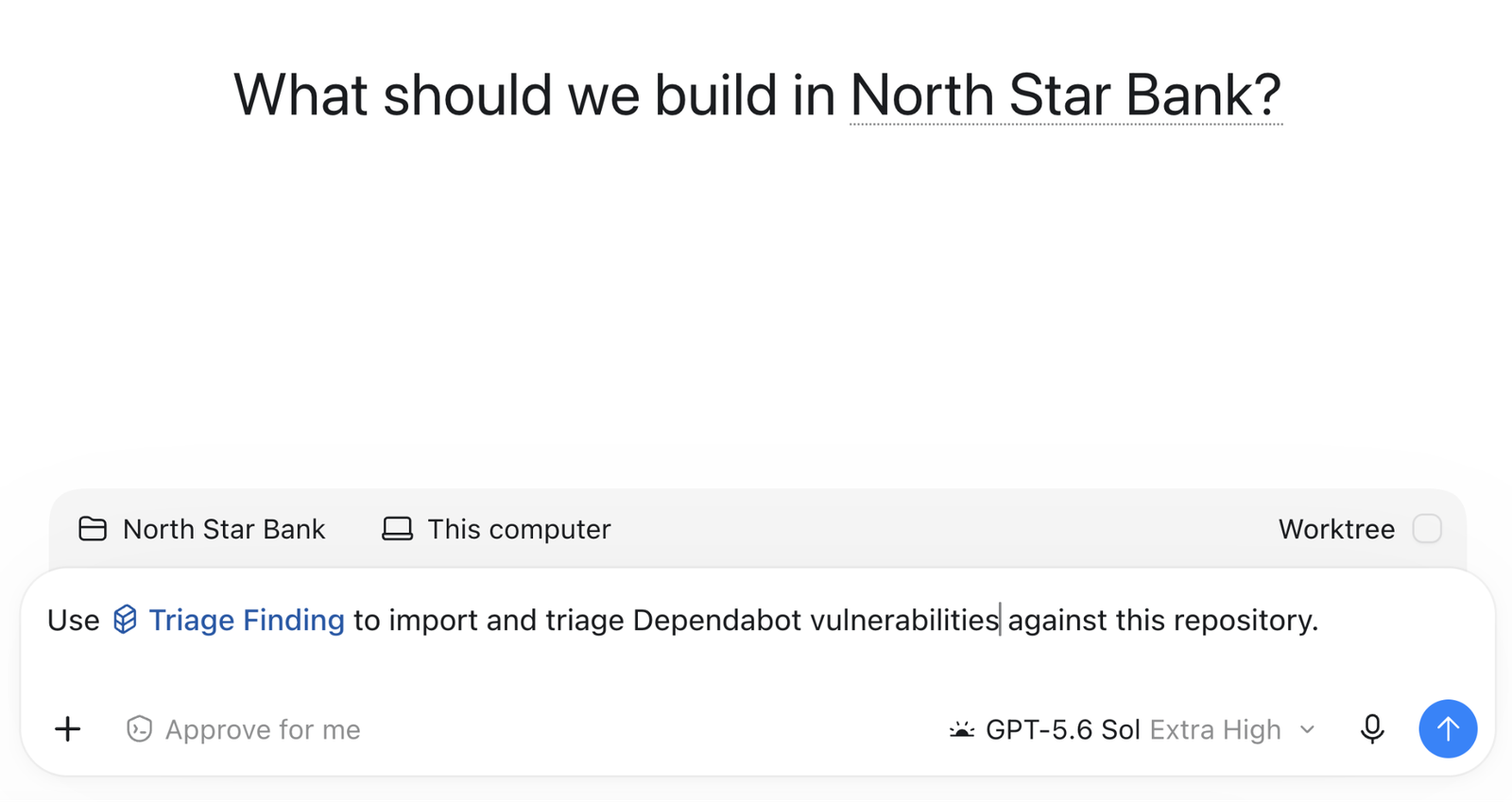
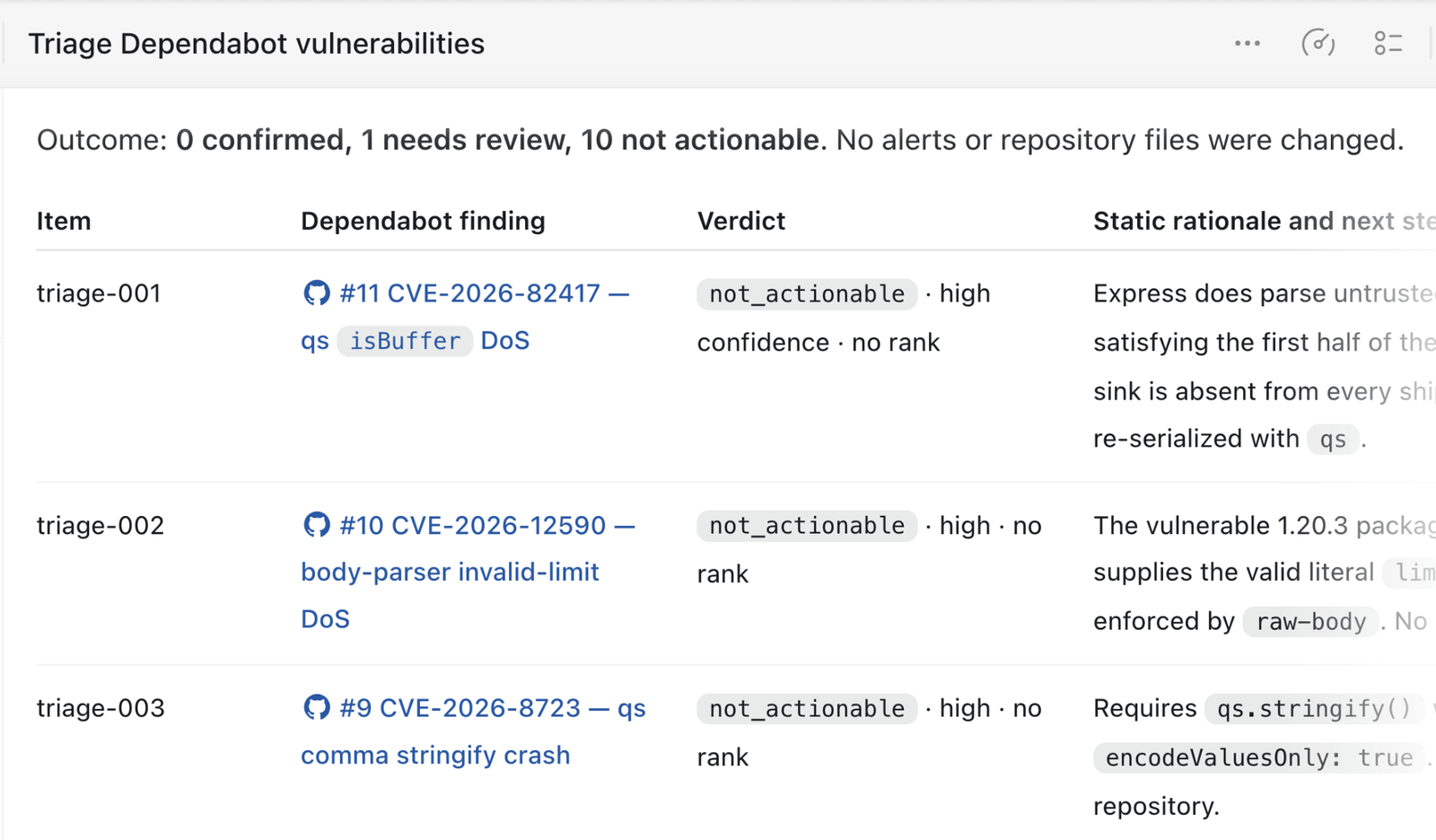
Codex Security는 Dependabot 알림 등으로 이미 보고된 서드 파티 취약점을 검증하는 스킬을 제공합니다. 이 스킬은 코드에서 취약한 부분에 도달할 수 있는지, 해당 취약점을 악용할 수 있는지 확인합니다. UI에서 직접 호출하거나 CLI에서 실행할 수 있습니다.
Codex는 Dependabot 알림을 하나씩 검토한 뒤, 각 알림에서 보고한 위험이 실제로 확인되었는지와 그 판단 근거를 목록으로 정리합니다.
패키지 버전이 변경될 때 보안 스캔 실행하기
종속성 버전이 변경될 때 해당 종속성의 최신 버전을 대상으로 보안 스캔을 실행할 수도 있습니다.
name: Codex Security dependency scan

on:
  pull_request:
    paths:
      - package.json
      - package-lock.json

permissions:
  contents: read

jobs:
  scan:
    name: Scan dependency changes
    if: github.event.pull_request.head.repo.full_name == github.repository
    runs-on: ubuntu-24.04
    timeout-minutes: 45
    steps:
      - name: Set up the Ubuntu sandbox
        run: |
          sudo apt-get update
          sudo apt-get install --yes bubblewrap apparmor-profiles
          sudo apparmor_parser -r /usr/share/apparmor/extra-profiles/bwrap-userns-restrict

      - name: Set up Node.js
        uses: actions/setup-node@820762786026740c76f36085b0efc47a31fe5020 # v7
        with:
          node-version: "26"

      - name: Set up Python
        uses: actions/setup-python@5fda3b95a4ea91299a34e894583c3862153e4b97 # v7
        with:
          python-version: "3.14"

      - name: Install Codex Security
        run: |
          set -euo pipefail
          npm install \
            --prefix "$RUNNER_TEMP/codex-security" \
            --ignore-scripts \
            --no-audit \
            --no-fund \
            @openai/codex-security

      - name: Verify Codex Security
        env:
          CODEX_SECURITY_BIN: ${{ runner.temp }}/codex-security/node_modules/.bin/codex-security
        run: |
          set -euo pipefail
          test -x "$CODEX_SECURITY_BIN"
          "$CODEX_SECURITY_BIN" --version

      - name: Check out the pull request
        uses: actions/checkout@3d3c42e5aac5ba805825da76410c181273ba90b1 # v7
        with:
          ref: ${{ github.event.pull_request.head.sha }}
          fetch-depth: 0
          persist-credentials: false

      - name: Install project dependencies
        run: |
          set -euo pipefail
          npm ci --ignore-scripts --no-audit --no-fund

      - name: Run full repository scan
        env:
          OPENAI_API_KEY: ${{ secrets.CODEX_SECURITY_API_KEY }}
          CODEX_SECURITY_BIN: ${{ runner.temp }}/codex-security/node_modules/.bin/codex-security
          CODEX_SECURITY_STATE_DIR: ${{ runner.temp }}/codex-security-state
          SCAN_DIR: ${{ runner.temp }}/codex-security-results
        run: |
          set -euo pipefail
          "$CODEX_SECURITY_BIN" scan . \
            --auth api-key \
            --output-dir "$SCAN_DIR" \
            --fail-on-severity high \
            --json > "$RUNNER_TEMP/codex-security.json"

      - name: Preserve scan results
        if: always()
        uses: actions/upload-artifact@043fb46d1a93c77aae656e7c1c64a875d1fc6a0a # v7
        with:
          name: codex-security-dependency-results
          path: |
            ${{ runner.temp }}/codex-security-results
            ${{ runner.temp }}/codex-security.json
          if-no-files-found: warn
          retention-days: 7
Related use cases
CI에서 보안 검사 자동화하기
CI 파이프라인에 Codex Security CLI를 추가하세요. 검사 시점과 검토할 코드를 선택하고, 발견된 보안 이슈와 검사 범위를 기록해 보관하세요. 검사...
CLI에서 보안 검토 실행하기
Codex Security CLI로 아직 커밋하지 않은 작업이나 브랜치의 변경 사항을 검토하세요.
Codex 데스크톱에서 코드 변경 사항 검토하기
Codex에서 직접 보안 검토를 시작하거나 리포지터리에 연결된 Codex 프로젝트에서 시작하세요.