


Codex use case
Manage supply chain risk in the CI/CD
Investigate dependency alerts and check package updates for security risks.
Assess how third-party dependencies affect your application’s security with Codex Security CLI. Triage and validate Dependabot alerts, and run security scans when packages are introduced or updated.
Best for
- Application security teams deciding which dependency alerts require action.
- Developers assessing newly introduced packages or dependency updates.
- Platform teams adding dependency-triggered security scans to their CI/CD pipelines.
Contents
Manage supply chain risk in the CI/CD
Investigate dependency alerts and check package updates for security risks.
Assess how third-party dependencies affect your application’s security with Codex Security CLI. Triage and validate Dependabot alerts, and run security scans when packages are introduced or updated.
Assess how third-party dependencies affect your application’s security with Codex Security CLI. Triage and validate Dependabot alerts, and run security scans when packages are introduced or updated.
Best for
- Application security teams deciding which dependency alerts require action.
- Developers assessing newly introduced packages or dependency updates.
- Platform teams adding dependency-triggered security scans to their CI/CD pipelines.
You can leverage the Codex Security CLI to assess dependencies in the codebase, such as when a new dependency is introduced or a version is bumped. This is extremely useful in preventing vulnerable packages from presenting supply chain risk. The way to achieve this is through deploying the Codex Security CLI as commands within custom workflows.
Validating Dependabot alerts
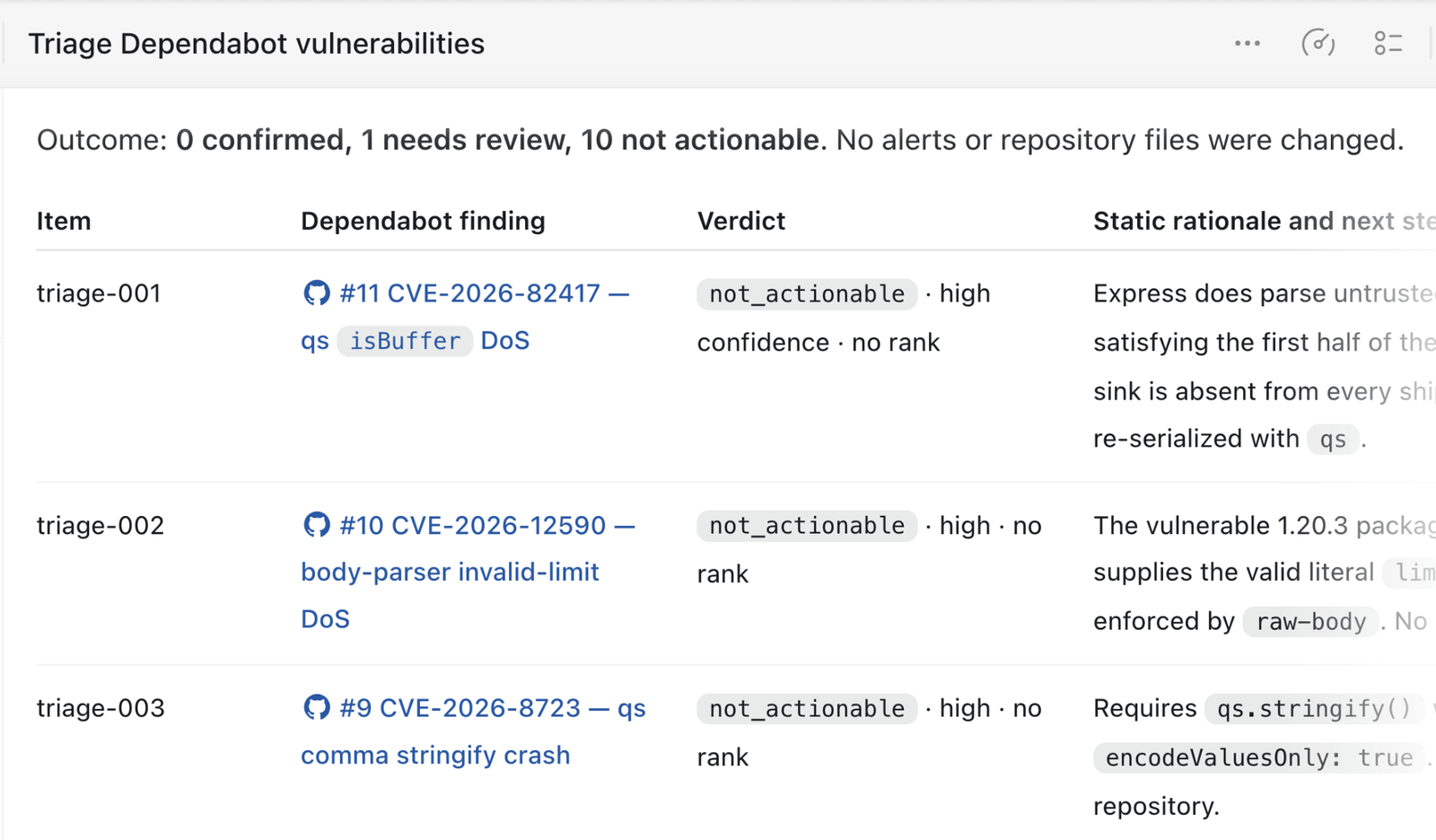
Codex Security provides a skill for validating existing third-party vulnerabilities, including Dependabot, for reachability and exploitability. You can invoke the skill directly in the UI or through the CLI.
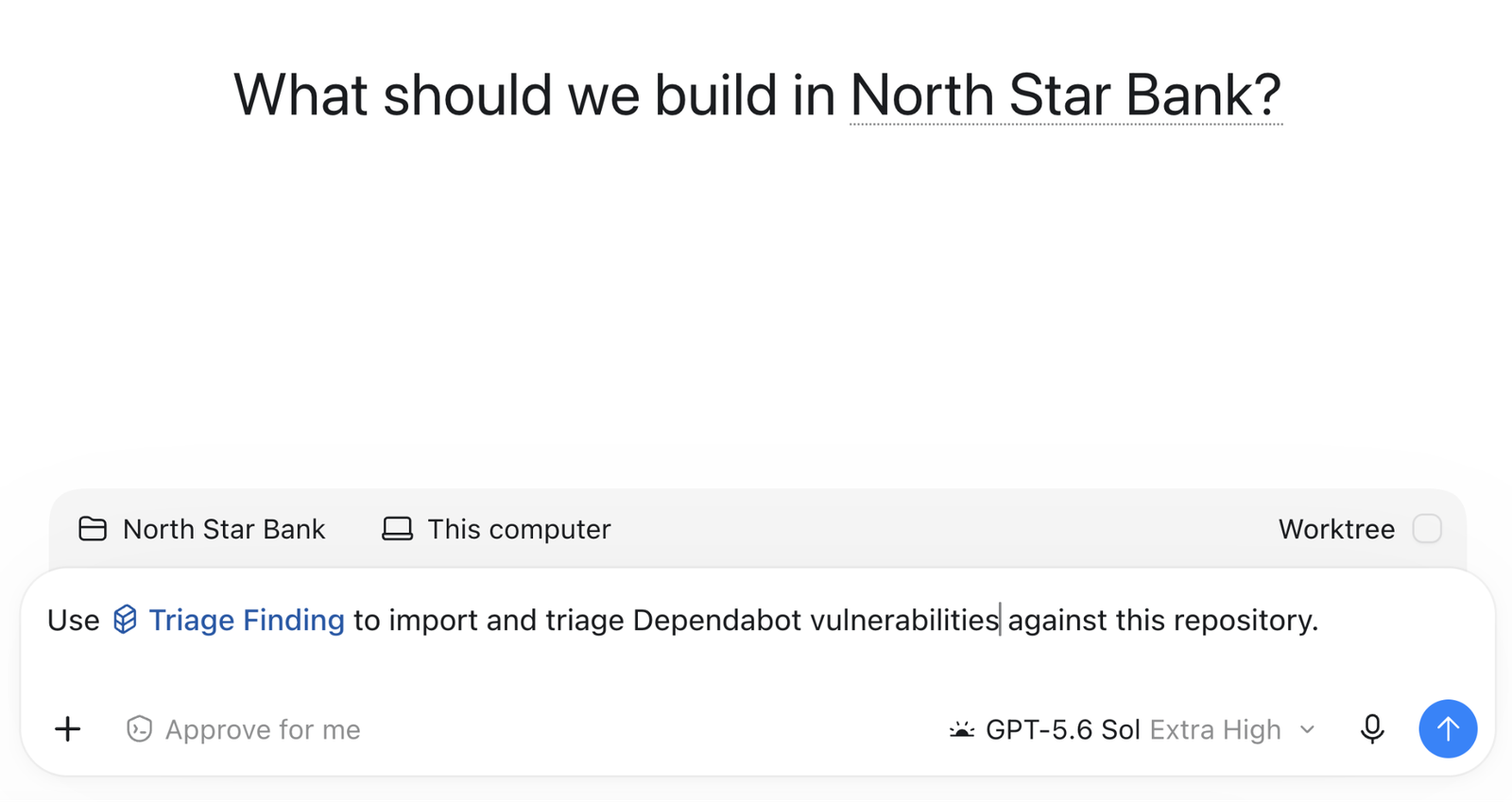
Codex will triage each of the Dependabot alerts and subsequently present a ledger of each presented risk with a reason why the alert was validated or not.
Running scans when package versions change
It is also possible to run security scans against the latest version of a dependency when the version is changed.
name: Codex Security dependency scan

on:
  pull_request:
    paths:
      - package.json
      - package-lock.json

permissions:
  contents: read

jobs:
  scan:
    name: Scan dependency changes
    if: github.event.pull_request.head.repo.full_name == github.repository
    runs-on: ubuntu-24.04
    timeout-minutes: 45
    steps:
      - name: Set up the Ubuntu sandbox
        run: |
          sudo apt-get update
          sudo apt-get install --yes bubblewrap apparmor-profiles
          sudo apparmor_parser -r /usr/share/apparmor/extra-profiles/bwrap-userns-restrict

      - name: Set up Node.js
        uses: actions/setup-node@820762786026740c76f36085b0efc47a31fe5020 # v7
        with:
          node-version: "26"

      - name: Set up Python
        uses: actions/setup-python@5fda3b95a4ea91299a34e894583c3862153e4b97 # v7
        with:
          python-version: "3.14"

      - name: Install Codex Security
        run: |
          set -euo pipefail
          npm install \
            --prefix "$RUNNER_TEMP/codex-security" \
            --ignore-scripts \
            --no-audit \
            --no-fund \
            @openai/codex-security

      - name: Verify Codex Security
        env:
          CODEX_SECURITY_BIN: ${{ runner.temp }}/codex-security/node_modules/.bin/codex-security
        run: |
          set -euo pipefail
          test -x "$CODEX_SECURITY_BIN"
          "$CODEX_SECURITY_BIN" --version

      - name: Check out the pull request
        uses: actions/checkout@3d3c42e5aac5ba805825da76410c181273ba90b1 # v7
        with:
          ref: ${{ github.event.pull_request.head.sha }}
          fetch-depth: 0
          persist-credentials: false

      - name: Install project dependencies
        run: |
          set -euo pipefail
          npm ci --ignore-scripts --no-audit --no-fund

      - name: Run full repository scan
        env:
          OPENAI_API_KEY: ${{ secrets.CODEX_SECURITY_API_KEY }}
          CODEX_SECURITY_BIN: ${{ runner.temp }}/codex-security/node_modules/.bin/codex-security
          CODEX_SECURITY_STATE_DIR: ${{ runner.temp }}/codex-security-state
          SCAN_DIR: ${{ runner.temp }}/codex-security-results
        run: |
          set -euo pipefail
          "$CODEX_SECURITY_BIN" scan . \
            --auth api-key \
            --output-dir "$SCAN_DIR" \
            --fail-on-severity high \
            --json > "$RUNNER_TEMP/codex-security.json"

      - name: Preserve scan results
        if: always()
        uses: actions/upload-artifact@043fb46d1a93c77aae656e7c1c64a875d1fc6a0a # v7
        with:
          name: codex-security-dependency-results
          path: |
            ${{ runner.temp }}/codex-security-results
            ${{ runner.temp }}/codex-security.json
          if-no-files-found: warn
          retention-days: 7
Related use cases
Automate security reviews in GitHub Cloud
Connect a repository and configure review triggers with Codex Security Review.
Automate security scans in CI
Add the Codex Security CLI to your CI pipeline
Create custom review workflows with GitHub Actions
Make security reviews a repeatable part of your development process