Describe the structure
Name the sections, details, and information to include.
.md to the page URL.
정리되지 않은 원본 자료를 명확한 문서로 바꾸고, 다듬은 내용을 슬라이드 덱으로 구성한 다음, 두 형식을 모두 다시 쓸 수 있는 템플릿으로 저장하세요.
 Doc
 Slide deck
Notes, transcripts, documents, and files rarely arrive ready to share. Attach your source material, describe the result you need, and say what should be checked before delivery.
In this example we’ll turn a weekly meeting transcript into a concise visual summary for leadership. We’re using Google Docs and Google Slides here, but you can also use Word and PowerPoint.
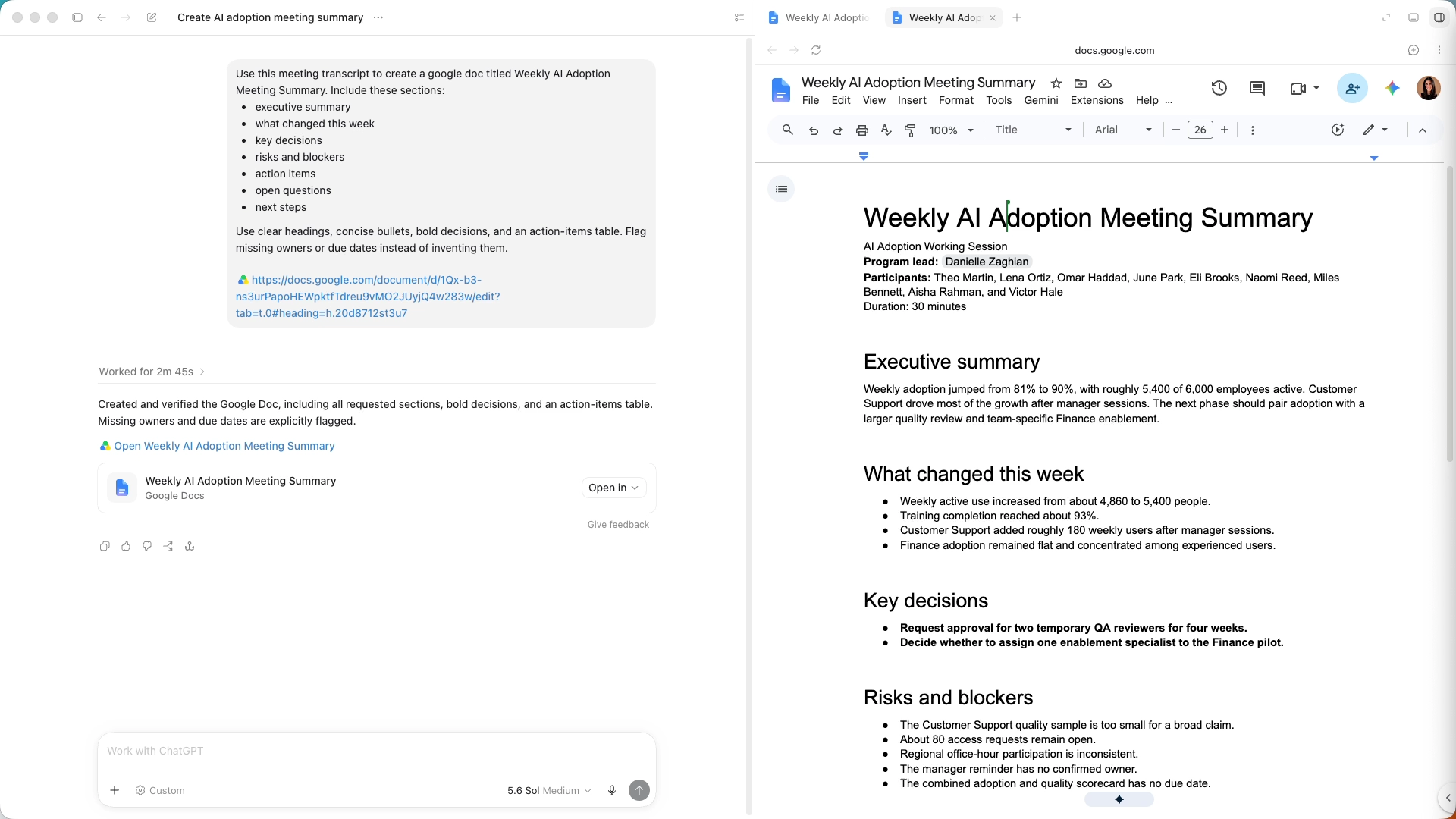
Start by asking ChatGPT to turn your transcript or notes into a Google Doc. Ask for the sections you want and for ChatGPT to flag missing details.
Here, we named the sections we wanted. You can guide the format in either of two ways.
Review the result against the original source. Once the document is accurate, it can guide the presentation.
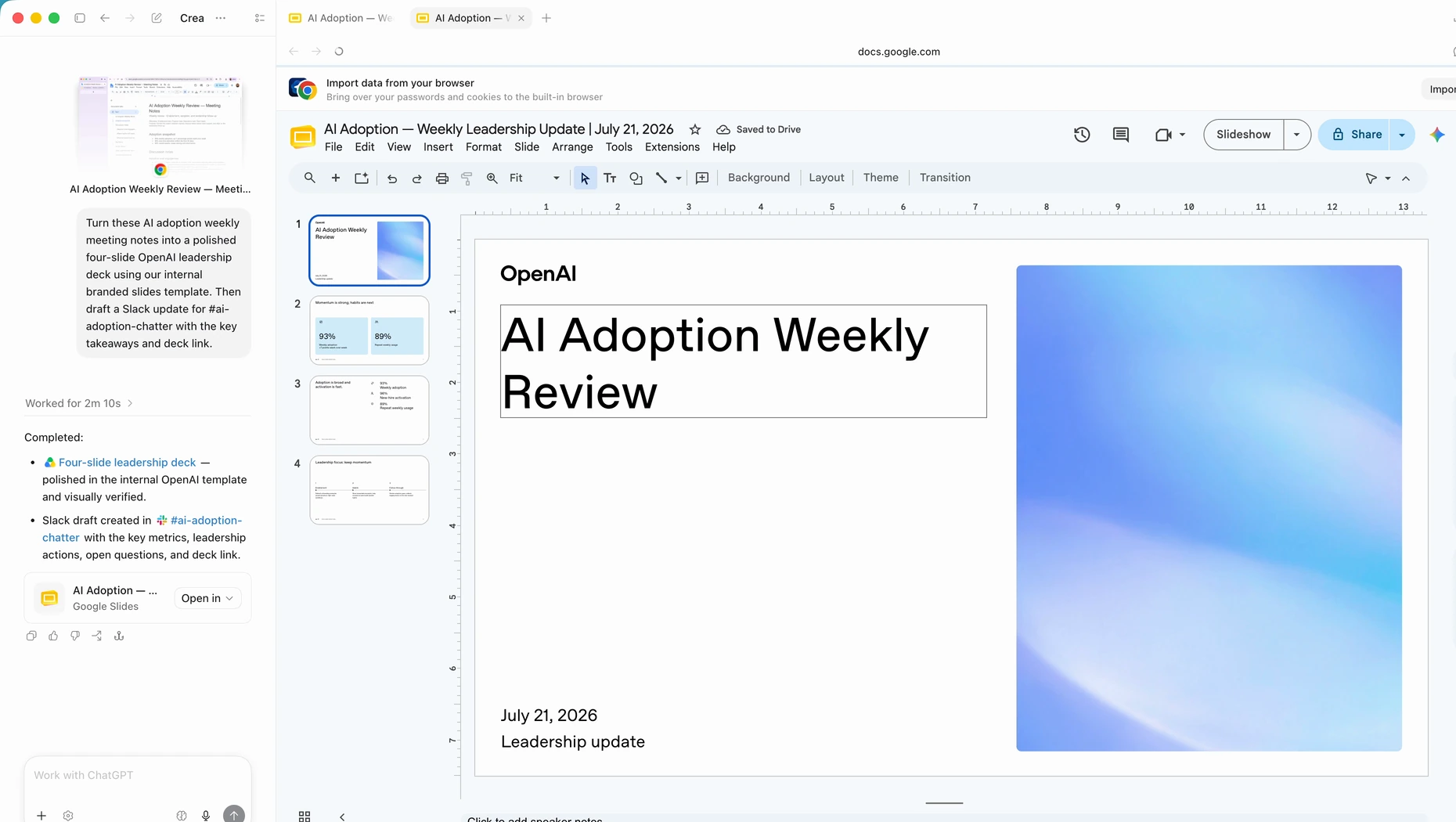
Ask ChatGPT to turn the approved document into a concise deck that follows the same key sections. Attach a reference presentation if you want it to follow a particular visual style.
The deck should prioritize the story rather than repeat every detail. Review the document or slides alongside the conversation, then ask for focused changes to specific sections without starting over.
Use @Template Creator and attach the finished document, presentation, or both. ChatGPT can save the structure and visual style as reusable templates.
Document format
Keep the sections and level of detail. Presentation style
Reuse the slide order and visual direction.Now you can attach new source material and mention the saved template. The information changes while the format stays familiar.
Open the first prompt in ChatGPT and attach your notes, transcript, or other source material. Copy the follow-up prompts into that same conversation.
Up next
ChatGPT는 화면에 보이는 내용을 읽고, 사용을 허용한 앱과 웹사이트에서 클릭하고 입력할 수 있습니다. 스프레드시트 작업을 처리하거나, 여러 웹사이트에서 주제를 조사하거나, 이미 로그인한 사이트의 양식을 작성해 보세요.