
When you’ve finished an analysis, you can ask ChatGPT to turn it into a report for your team. Share it as a Page in Space so people can read what you found, explore the charts, and leave questions before you meet.
We’ll use Acme’s quarterly sales review. The team wants to know where growth came from and which customers to follow up with.
Turn the analysis into a report
Open a chat where you’ve already analyzed some data. To follow the Acme example, use your sales analysis from Chapter 3.
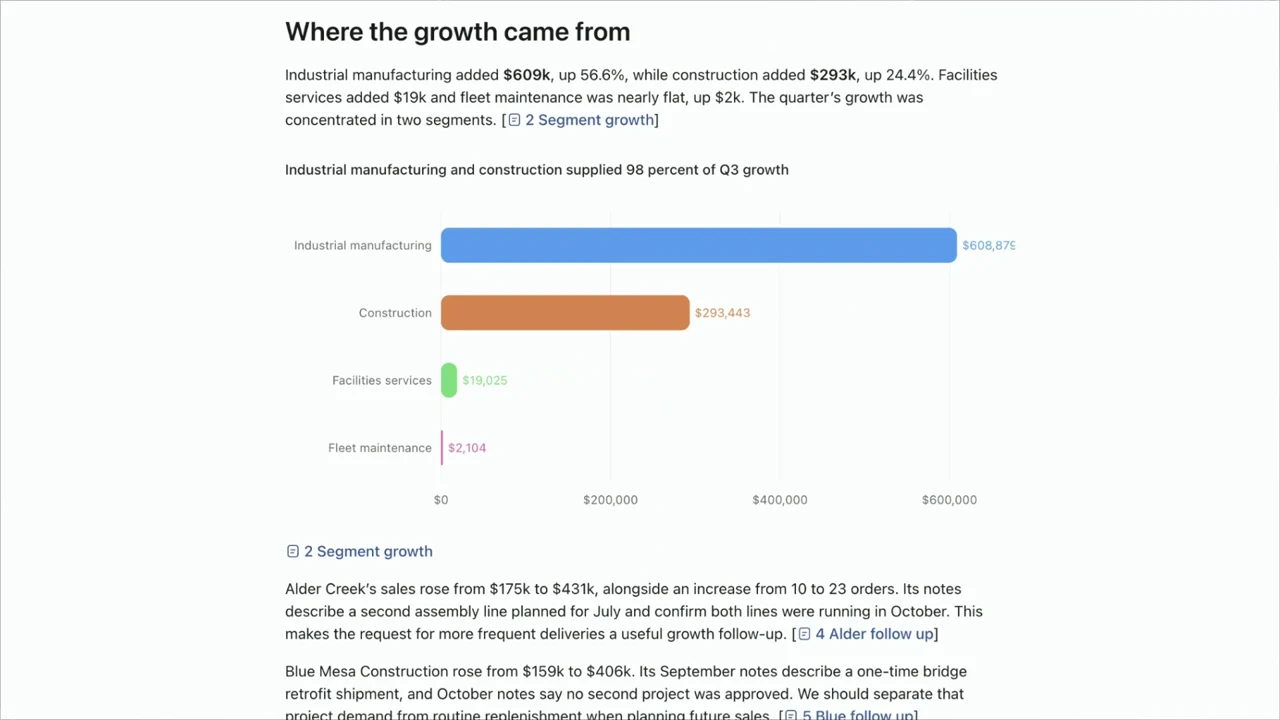
Acme’s sales grew 20.5%, from $4.50 million in Q2 to $5.43 million in Q3. The chart shows which segments drove that growth. Gross margin slipped over the same period. That’s worth a question before the meeting.
Share it with the team
Open Share, choose who can access the Page, and copy the link for the meeting. If access is invite-only, add your teammates first. Check that they can also open any source files you link. Share a Page in Space
Edit the Page and talk through the numbers
-
Edit a heading. In the video, I change Where the growth came from to Sales growth by segment. Create and edit Pages
-
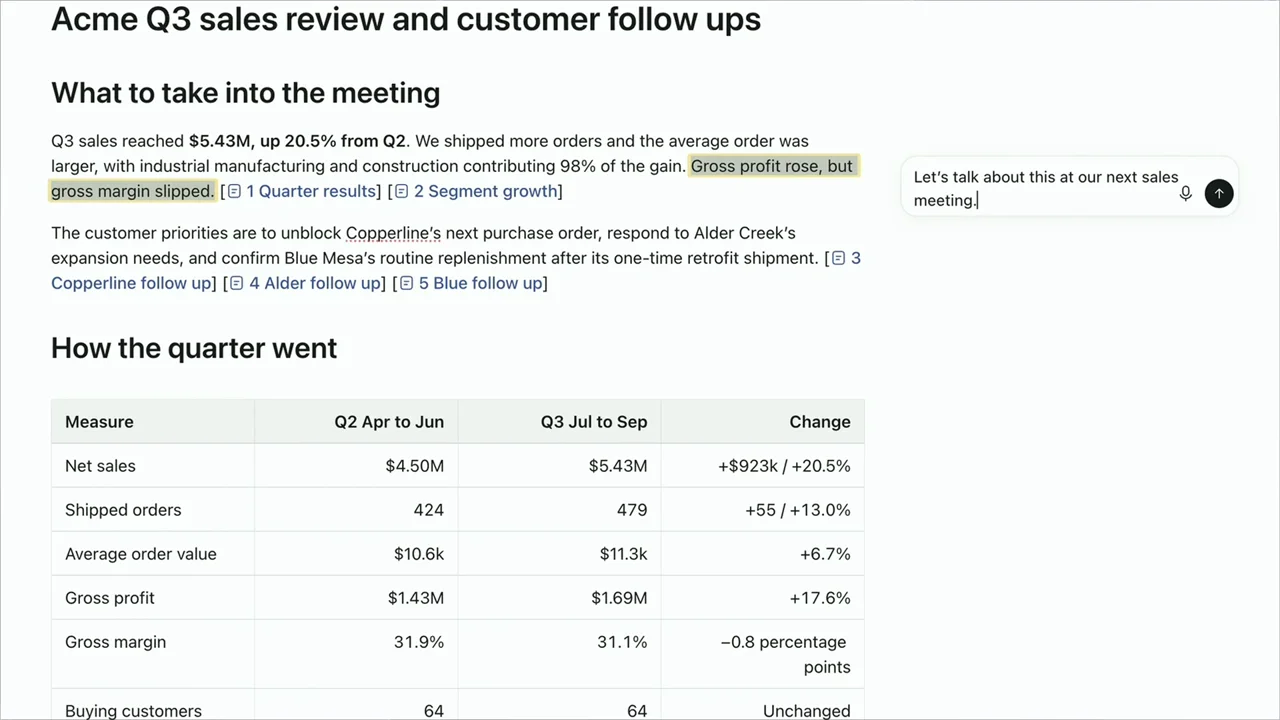
Ask about the report. Open the chat in the lower-right corner. Ask: “Sales went up, but gross margin slipped. What would you look at next to understand why?” In Acme, ChatGPT points to a Blue Mesa order that added $209,000 in sales at a 14% gross margin. Check the Blue Mesa order in your copy of the Acme workbook before bringing it to the meeting.
-
Leave a comment. Select the sentence about gross margin and add: “Was the Blue Mesa order a one-off, or should we expect more orders at that margin?” Now the conversation sits right next to the number you want to discuss.
Related guides
Try a real example
Think of a finding you’ll need to explain at your next team meeting. Open the chat where you found it and ask ChatGPT for a short report. Tell it who will read it and what you want them to understand or decide. Share the Page with one teammate and leave the first question in a comment.