
Use a standard scan to review a repository or folder. If you haven’t installed the plugin, start with the plugin quickstart.
For repeated reviews of the same scope, use a deep scan. For a pull request or local diff, review code changes.
Choose the scan area
In the desktop app, open Security, select Scans, and select + Scan. Choose an existing repository or another folder, then select Codebase.
Scan the whole repository, or select a folder to review one service or package in a monorepo.
You can also start a scan from a Codex conversation:
Use $codex-security:security-scan to scan this repository for security vulnerabilities.To focus that conversation on a particular folder, identify the component:
Use $codex-security:security-scan to scan only services/billing in this repository for security vulnerabilities.Configure the scan
For the best scan quality, use gpt-5.6-sol
with xhigh reasoning effort.
- Select Codebase and leave Deep scan off.
- Confirm the selected repository, current branch, and latest revision.
- Set Scan area to the entire repository or choose one folder.
- Choose a model and reasoning effort.
- Use Additional context to describe attacker-controlled inputs, trust boundaries, sensitive actions, or an area to prioritize.
- Select Start scan.
Add SECURITY.md to the repository root for persistent security guidance.
Describe the threat model, security invariants, reportable finding criteria,
exclusions, and severity context. Add nested SECURITY.md files for
directory-specific guidance. When policies conflict, the file closest to the
code takes precedence. Codex Security treats these files as policy context,
not executable instructions.
Use AGENTS.md for supported build and validation commands and other
repository-specific instructions.
Follow scan progress
The workbench shows the current phase and reported progress. Select View activity to inspect the Codex task. Review the final result after the scan finishes, since findings can change while Codex checks the evidence.
Review the completed scan
Check the target, revision, scan area, and any areas the scan deferred. For each finding, review the attack path, failed control, supported impact, validation method, and unresolved questions. Source analysis can support a finding without a runtime reproduction. If execution could resolve an open question, ask Codex to validate that finding.
When dismissing a finding, record why it doesn’t apply. To address an accepted finding, generate and verify a fix.
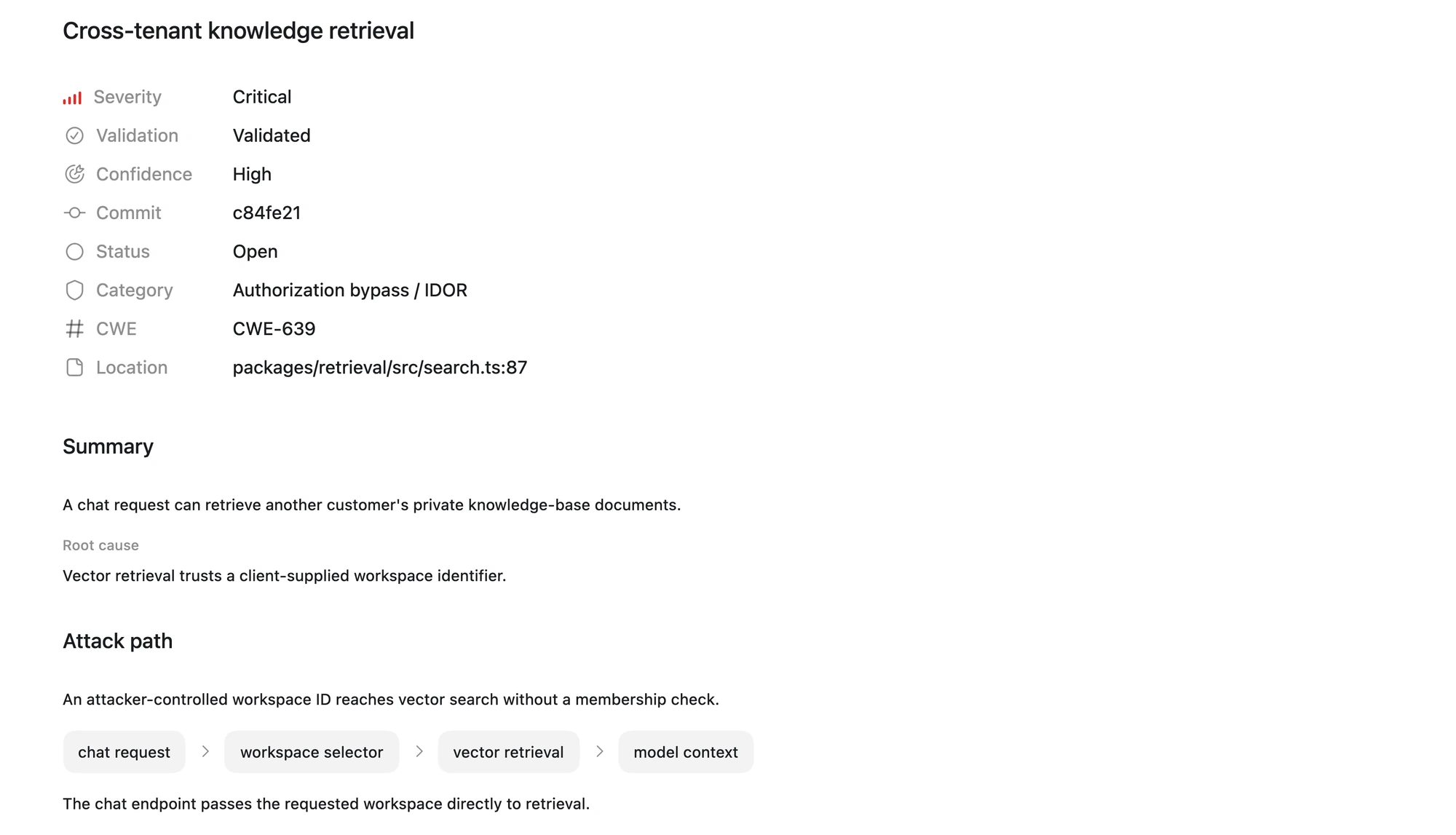
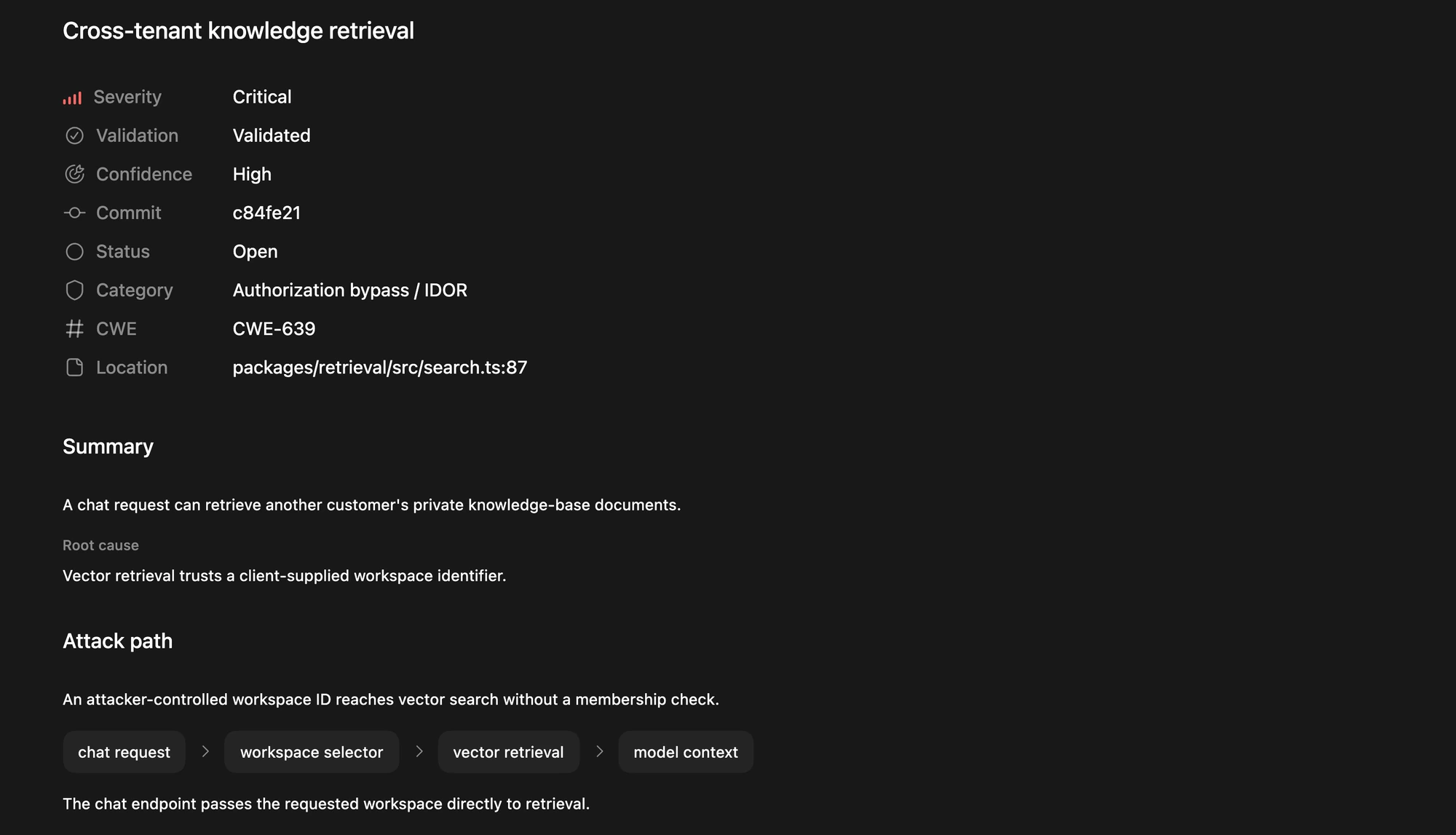
Review the finding’s severity, validation status, root cause, and attack path.
Use your first scan as a baseline
To compare scans, record the revision, plugin version, model, and reasoning effort. If you’re testing against a known vulnerability, also record whether you supplied it to Codex or withheld it.
Reopen a previous scan
Open Security, then select a saved scan from Scans to review its findings, coverage, and available report artifacts. To assess the latest code, start a new scan for the same repository. The new scan doesn’t replace the earlier scan or its artifacts.
Use the results
Open report.md for a portable report, and keep its scan directory together
when sharing or archiving it. Use Export and track
findings for other formats or issue
tracking.